FAQ
(D 063) Resource error: Trigger event occupied
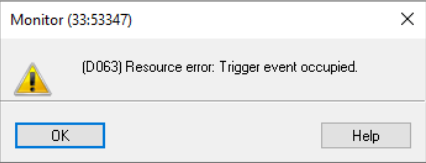
This is a common STEP 7 monitoring error. It typically happens when:
- Another monitoring session is already active on this CPU — someone else (or another open window/PG instance) is using the same trigger point (e.g., "trigger on block start" or a specific breakpoint/status trigger) for online monitoring, and the CPU only has limited trigger resources available.
- You have multiple monitor/status windows open against the same CPU consuming trigger resources, and this new one can't get one..
Check with your PN/DP network, a flaky network connection can also leave stale trigger sessions registered on the CPU.