Siemens TIA Portal
Overview
SDA supports automated backups for PLCs for the following Siemens TIA Portal versions:
- TIA Portal v15.1
- TIA Portal v16
- TIA Portal v17
- TIA Portal v18
- TIA Portal v19
- TIA Portal v20
- TIA Portal v21
info
If there is a missing TIA version, please feel free to get in touch with us. We will provide you with the requested version as soon as possible.
Requirements
danger
In order to make a backup for safety PLCs (F-CPUs), the consistent upload needs to be enabled
(Safety Administration / Settings / Advanced Settings - Enable consistent upload from the F-CPU):
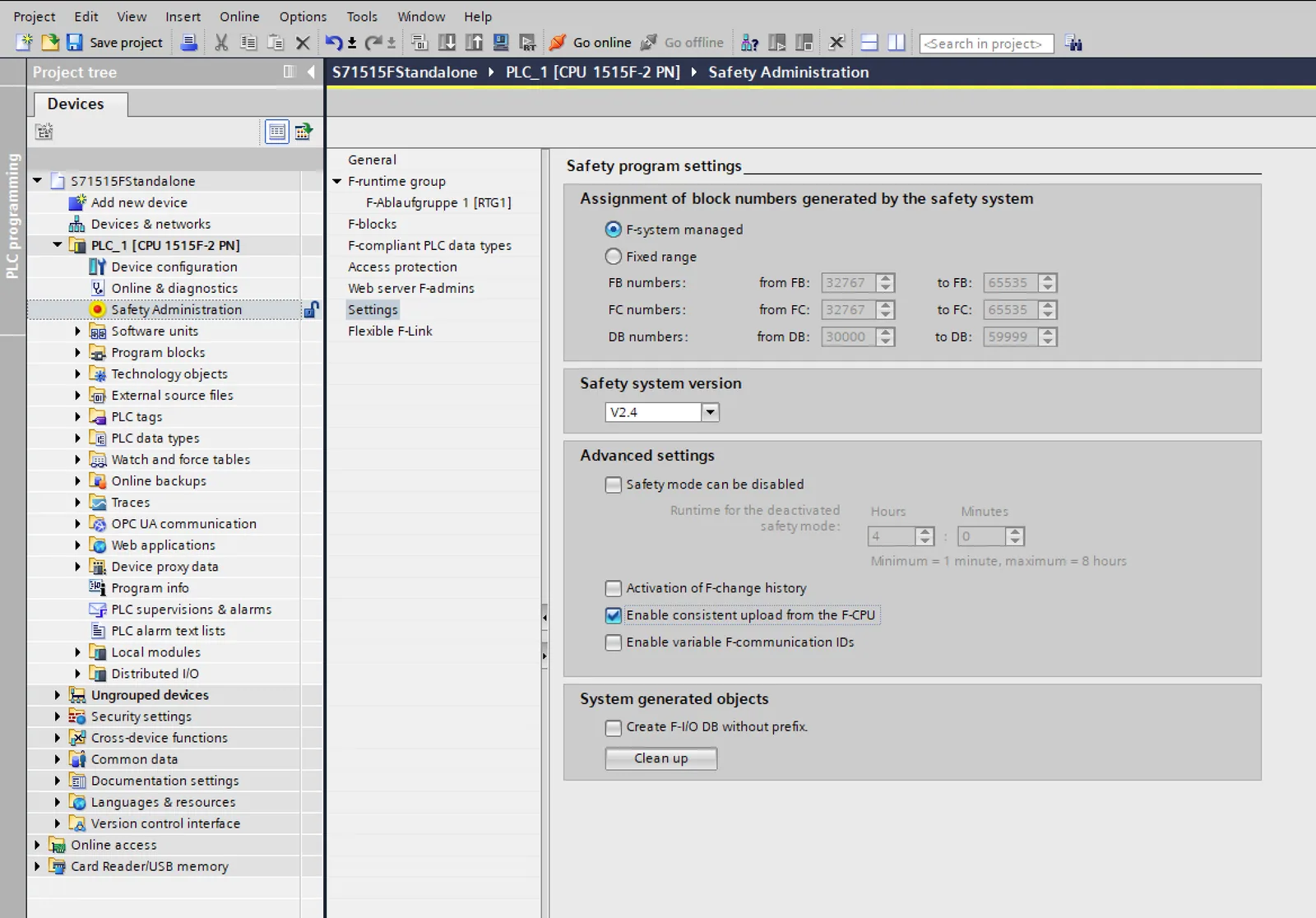
PLC features and requirements
| PLC Feature | Requirement | Supported TIA Versions |
|---|---|---|
| Backup from S7-1200 CPU | Firmware ≥ 4.0 | V15.1 up to latest |
| Backup from S7-1500 CPU | Firmware ≥ 2.1 | V15.1 up to latest |
| Certificate Handling and Secure Communication with a S7-1500(F) CPU | Firmware ≥ 2.9 | V17 up to latest |
| Upload of Spare Part S7-1500(F) CPU with New Article Number | - | V15.1 up to latest |
| Reading online fingerprint data from S7-1200 and S7-1500(F) CPUs for quick station compare before upload | - | V16 up to latest |
Network features
| Network Feature | Supported TIA Versions |
|---|---|
| Direct network connection between PG/PC and CPU | V15.1 up to latest |
| Direct network connection between PG/PC and CM/CP of the CPU | V15.1 up to latest |
| Network connection between PG/PC and CPU via router with IP- or DNAT-Routing | V15.1 up to latest |
| Network connection between PG/PC and CM/CP of CPU via router with IP- or DNAT-Routing | V17 up to latest |