Pipelines
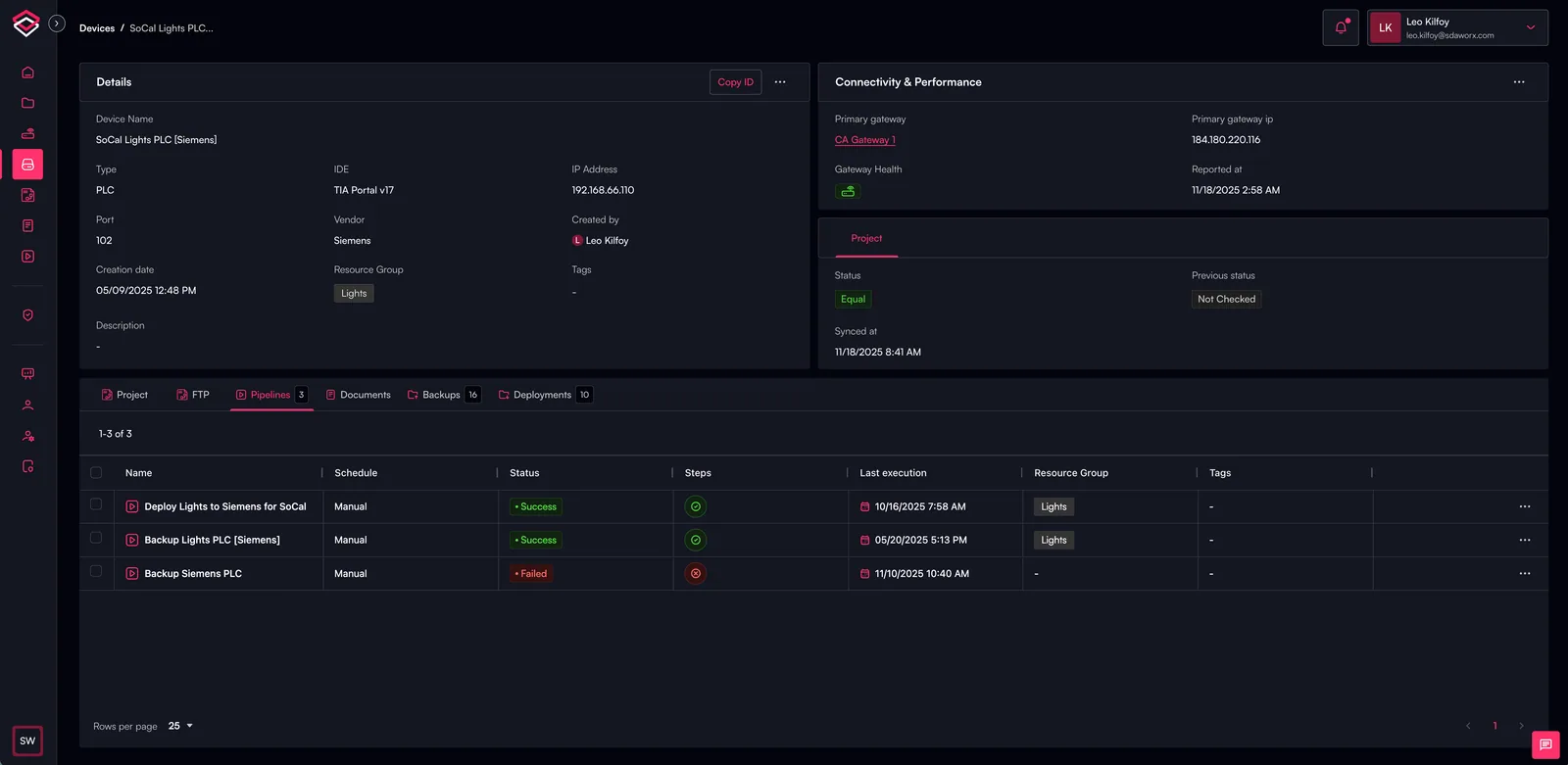
The Pipelines view provides centralized visibility and execution control for all automation workflows associated with a device. Pipelines orchestrate routine OT operations—such as deployments, backups, firmware updates, variable reads/writes and password rotations—through a consistent, traceable and vendor-aware execution framework.
Overview
Pipelines enable engineers to automate and standardize common operational tasks within the SDA Platform. Each pipeline run includes detailed execution metadata, including the status of each action, timestamps, the action’s source, input parameters and full execution logs. Users can trigger any pipeline action directly from this view and monitor progress in real time as SDA coordinates the end-to-end workflow.
Key Capabilities
Pipeline Run History
Displays a chronological history of all pipeline actions executed for the device. Each run includes:
- Execution Status – Whether the action succeeded, failed or is currently running
- Execution Time & Date – When the pipeline action was triggered
- Action Source – Whether the action originated from a user, schedule, API or automated rule
- Action Type – Such as Backup, Deployment, Firmware Update, Snapshot, Password Rotation, etc.
- Input & Target Details – Including target version, backup type, variables, firmware file or other parameters
- Execution Logs – Full step-by-step output for auditability and troubleshooting
Pipeline Execution
Allows users to run supported pipeline actions directly from the interface:
- Select the specific action type (Backup, Deployment, Rotation, etc.)
- Provide any required parameters
- Initiate the pipeline run with a single action
- Follow live status updates
- Access logs immediately upon completion
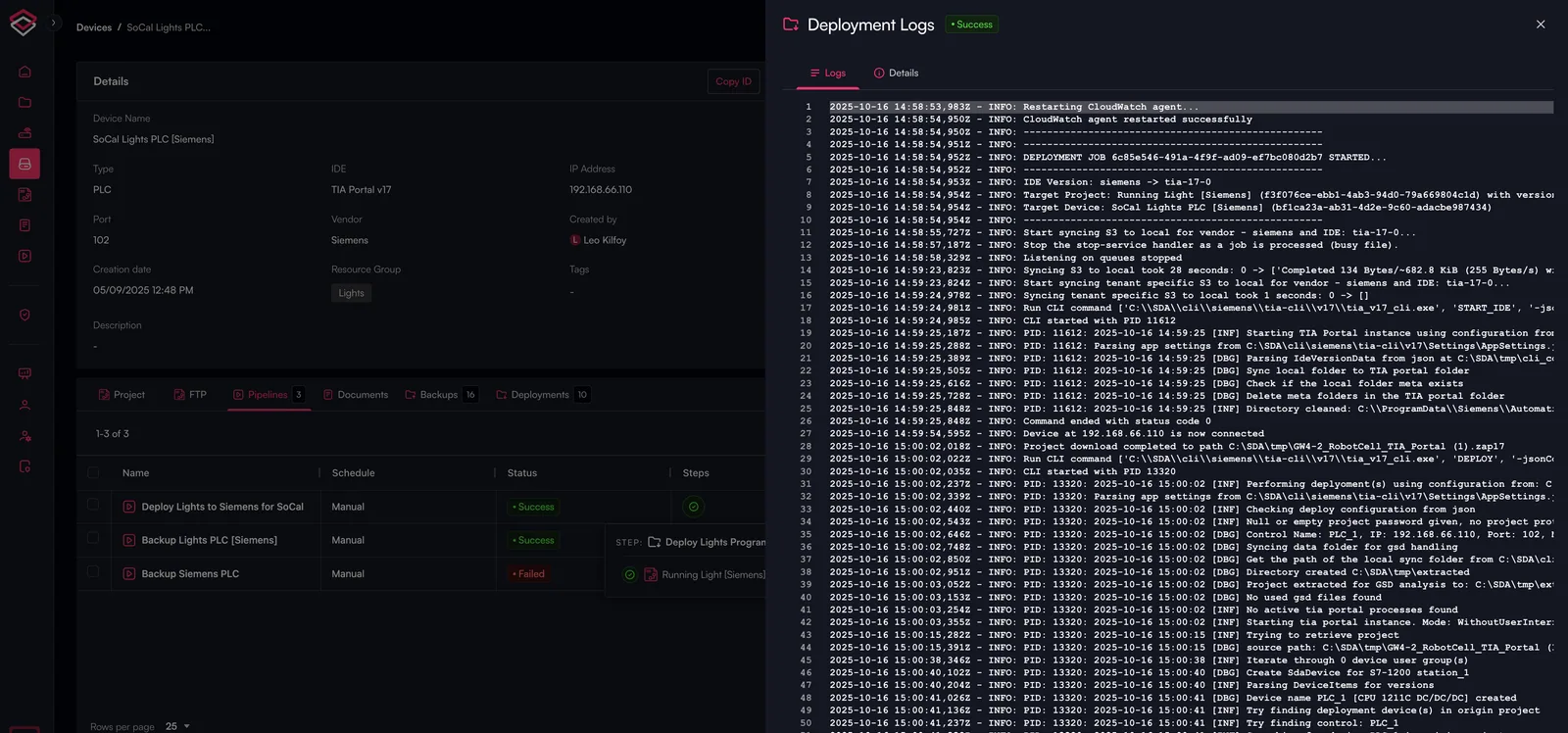
Log Details
Each pipeline action generates a full execution log that includes:
- Pipeline step flow
- Vendor-specific command or tool output
- Validation and comparison results
- Error or warning details
- Final action confirmation
Logs are preserved for audit history, operational transparency and troubleshooting.
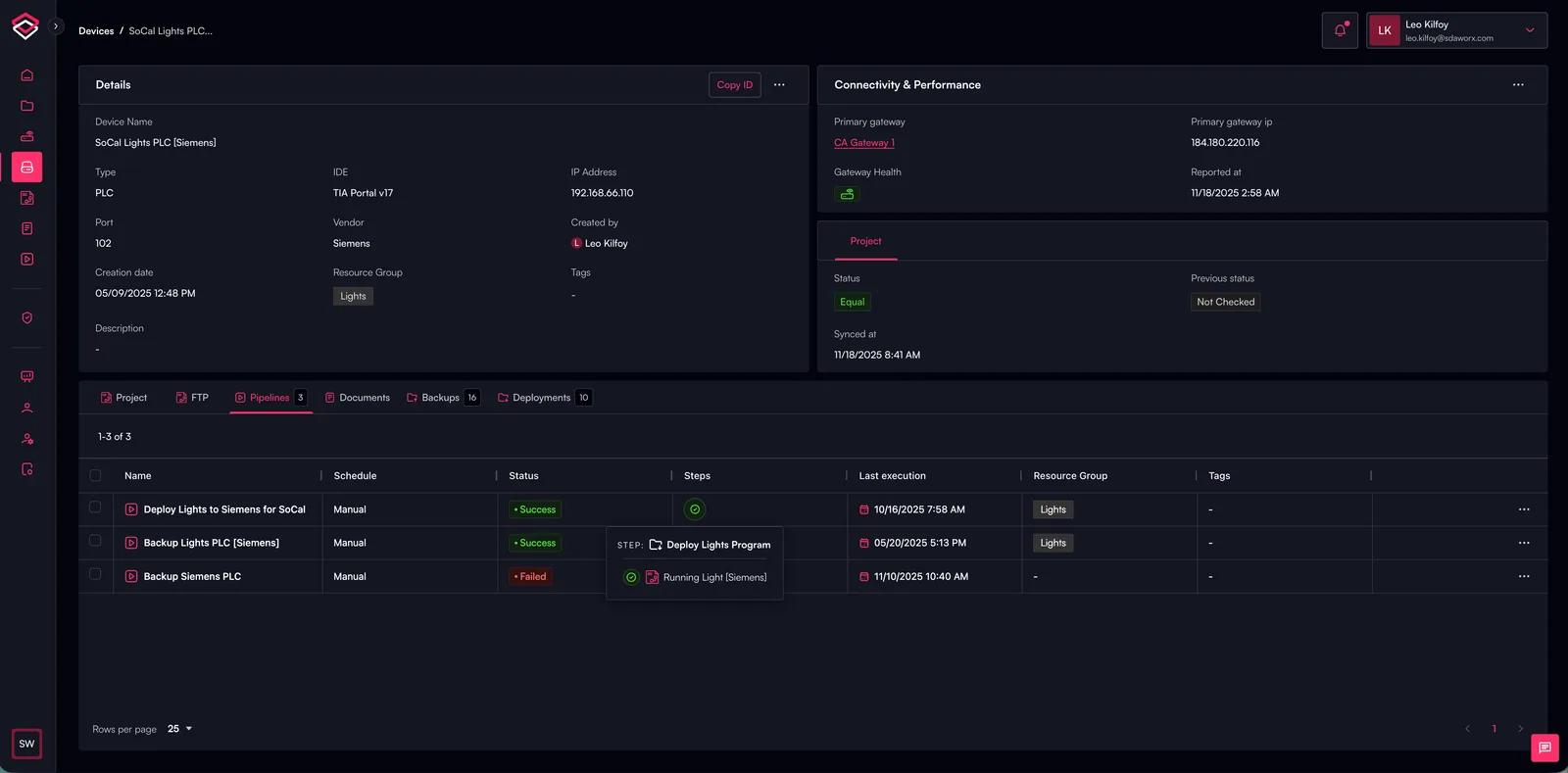
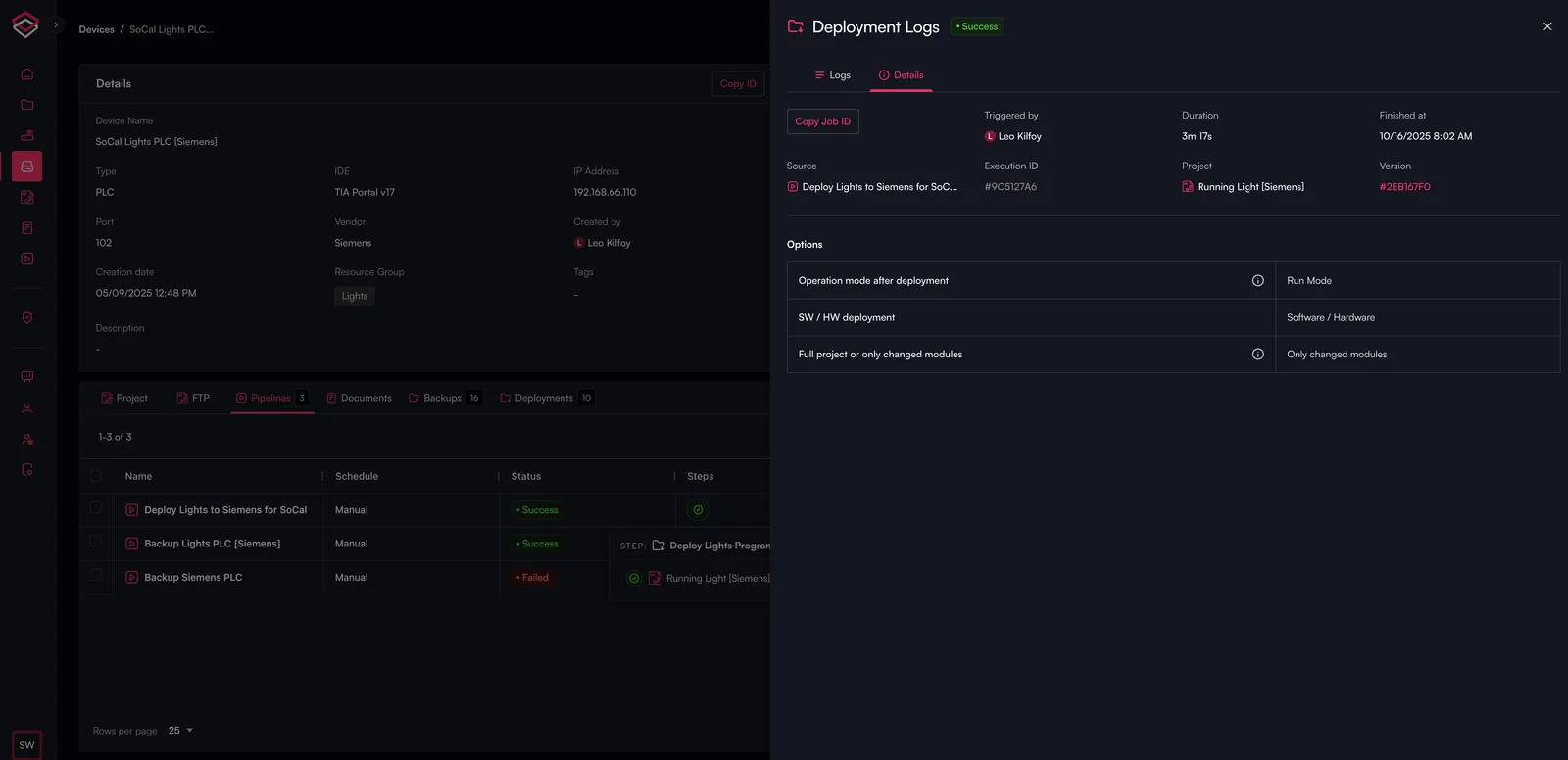
By selecting one of the step icons on a pipeline, you can find information about the pipeline execution, including detailed logs and job details as shown below.
Select the Icon of the Desired Step
Detailed Logs
Job Details
Use Cases
- Automating device backups (project, FTP, SMB) across multiple devices
- Deploying new project versions to production
- Capturing device snapshots for diagnostics or compliance
- Updating device firmware
- Reading or writing live PLC variables
- Enforcing security through automated password rotation
- Running library upgrade workflows
How It Works in SDA
SDA Pipelines leverage the gateway to execute vendor-specific operations securely and consistently. Once initiated, the platform orchestrates all steps—transferring files, interacting with engineering tools, validating outcomes and collecting logs—while presenting real-time status updates to the user. Completed runs are recorded for auditability and compliance, giving engineers full traceability of all device interactions.
Find out More
Pipelines
To find out how configue a pipeline, ples see the Using Pipelines page.
Vendor Support
For specific vendor support for Pipeline, please see the Pipeline Capability Matrix by Vendor page.