Duplicating a role
Roles are often variations of each other — the same policies pointed at a different group, or one extra permission on top of an existing set. Duplicate role gives you a copy of an existing role to start from, instead of rebuilding it policy by policy.
Creating a copy
Open the ⋯ menu on a role — either in the roles list or on the role's own page — and choose Duplicate role.
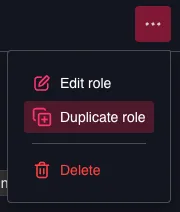
Duplicate existing role
The create-role wizard opens, prefilled with:
- the name of the source role, followed by (copy),
- its description,
- its group,
- all of its policies, together with the common resource scope they share.
Nothing is created until you finish the wizard, so change anything you like on the way through — starting with the name.
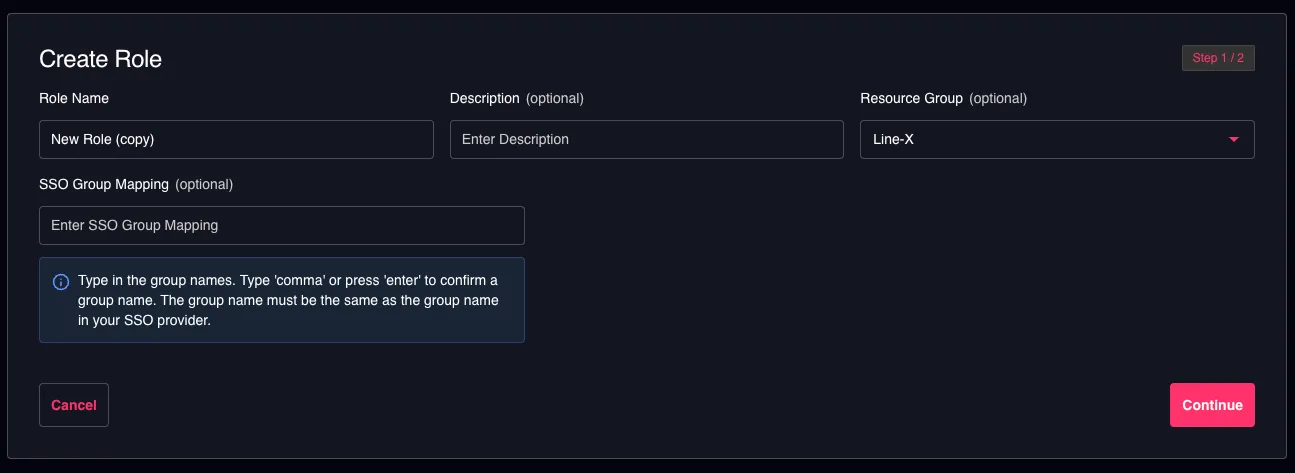
Create Role wizard prefilled from a duplicate
What is not copied
| Copied | |
|---|---|
| Name, description, group | Yes — the name gets a (copy) suffix |
| Policies | Yes |
| SSO group mapping | No |
| Users assigned to the role | No |
The SSO group mapping is deliberately left out. Copying it would grant the new role to the same SSO group the moment it is created, which is almost never what a copy is for. Add the mapping yourself if you want it.
Good to know
- Duplicating needs permission to create roles, not permission to edit the role you are copying. The action is hidden when you cannot create roles.
- Built-in system roles can be duplicated. They cannot be edited or deleted, but a copy is a practical starting point for a role of your own.
- The copy is independent. Later changes to the original do not affect it, and it starts with no users assigned.