Common resource scope
Most roles point all of their policies at the same thing: everything in one group, everything carrying one tag, or simply everything. Common resource scope lets you set that target once for the whole role instead of picking resources again in every policy.
You will find it at the top of the policy step, both when creating a role and when editing its policies.
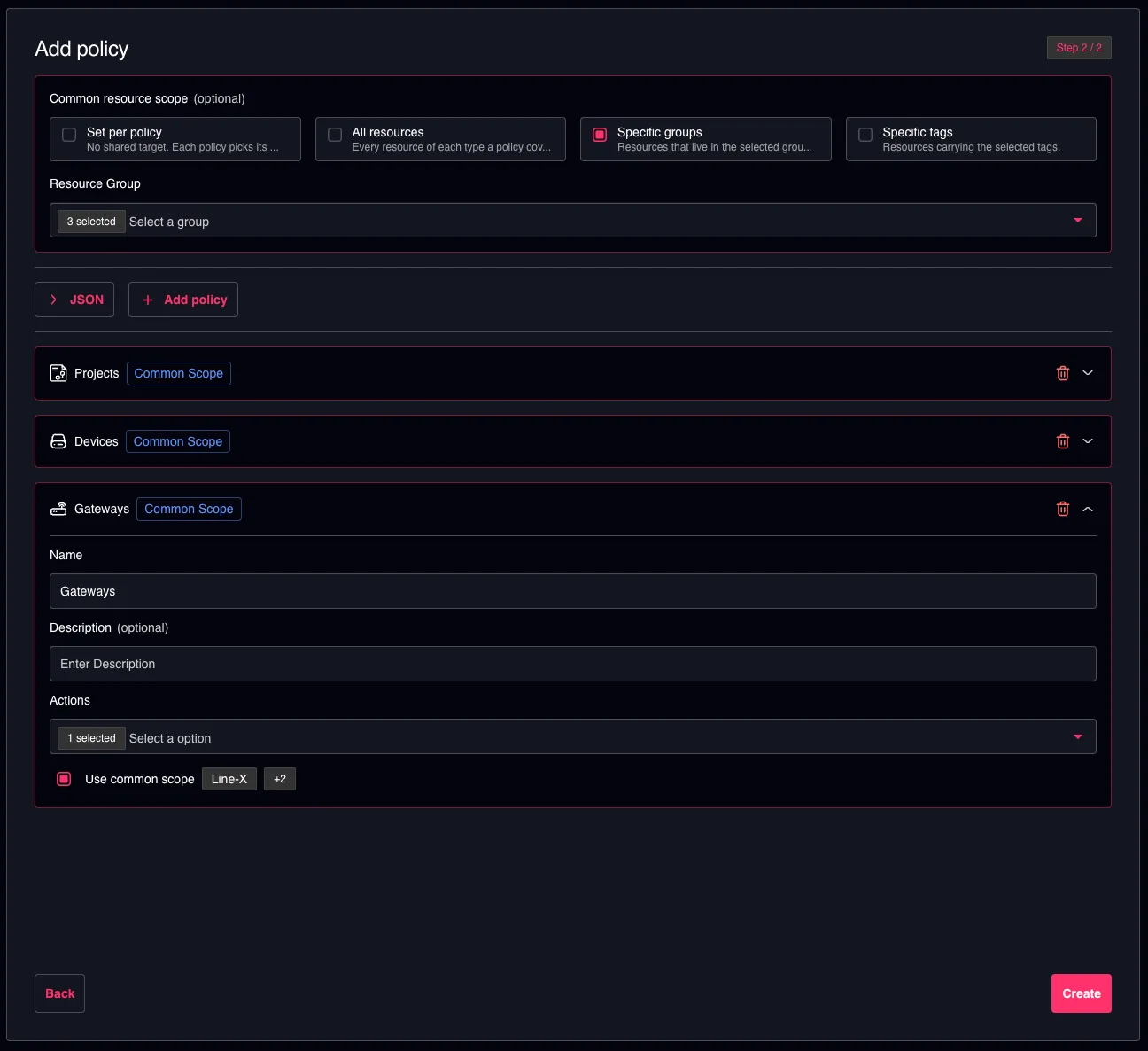
Common resource scope set to multiple groups and applied to every compatible policy
Choosing a scope
| Option | What the policies target |
|---|---|
| Set per policy | No shared target — every policy picks its own resources, as before. |
| All resources | Every resource of each type a policy covers. |
| Specific groups | Resources that live in the groups you select. |
| Specific tags | Resources carrying the tags you select. |
Specific groups and Specific tags ask you to select at least one group or tag.
When you create a role inside a group, the scope starts on Specific groups with that group already selected.
Choosing an option attaches every policy that can use it to the scope — including any you had previously detached. Set the scope first, then adjust individual policies.
Which policies follow the scope
A policy that follows the scope shows a blue Common scope chip in its header, and its resource selection is replaced by a Use common scope line showing what the scope points at.
Untick Use common scope to give that one policy its own resources again — the usual resource, group and tag selectors come back, and the rest of the role is unaffected.
Not every policy can follow every scope:
| Scope | Policies that can follow it |
|---|---|
| All resources | Every resource type. |
| Specific groups | Devices, Gateways, Projects, Pipelines, Documents, Licenses, Vaults, Workstations, Integrations, Identity and Resource Groups. |
| Specific tags | The resource types that carry tags: Devices, Gateways, Projects, Pipelines, Documents, Licenses, Vaults and Workstations. |
Two cases never offer the choice:
- Resource types that always cover everything — Audit Log, Custom Fields, Vulnerabilities and IDEaaS. A policy for them applies to all of that type by nature, so there is nothing to scope.
- Resource types the scope cannot express — for example Webhooks, which are neither grouped nor tagged, or a tag scope on a type that carries no tags. Those policies keep their own resource selection and show no chip.
A policy you add after setting the scope starts out following it, whenever it can.
Reopening a role
The common scope is not stored as a separate setting — it is read back from the role's policies every time you open them. When you reopen a role, the scope shown is the one most of its policies already share; policies pointing somewhere else keep their own resources and simply show no chip.
The role's detail page shows the same value read-only, as Common resource scope.
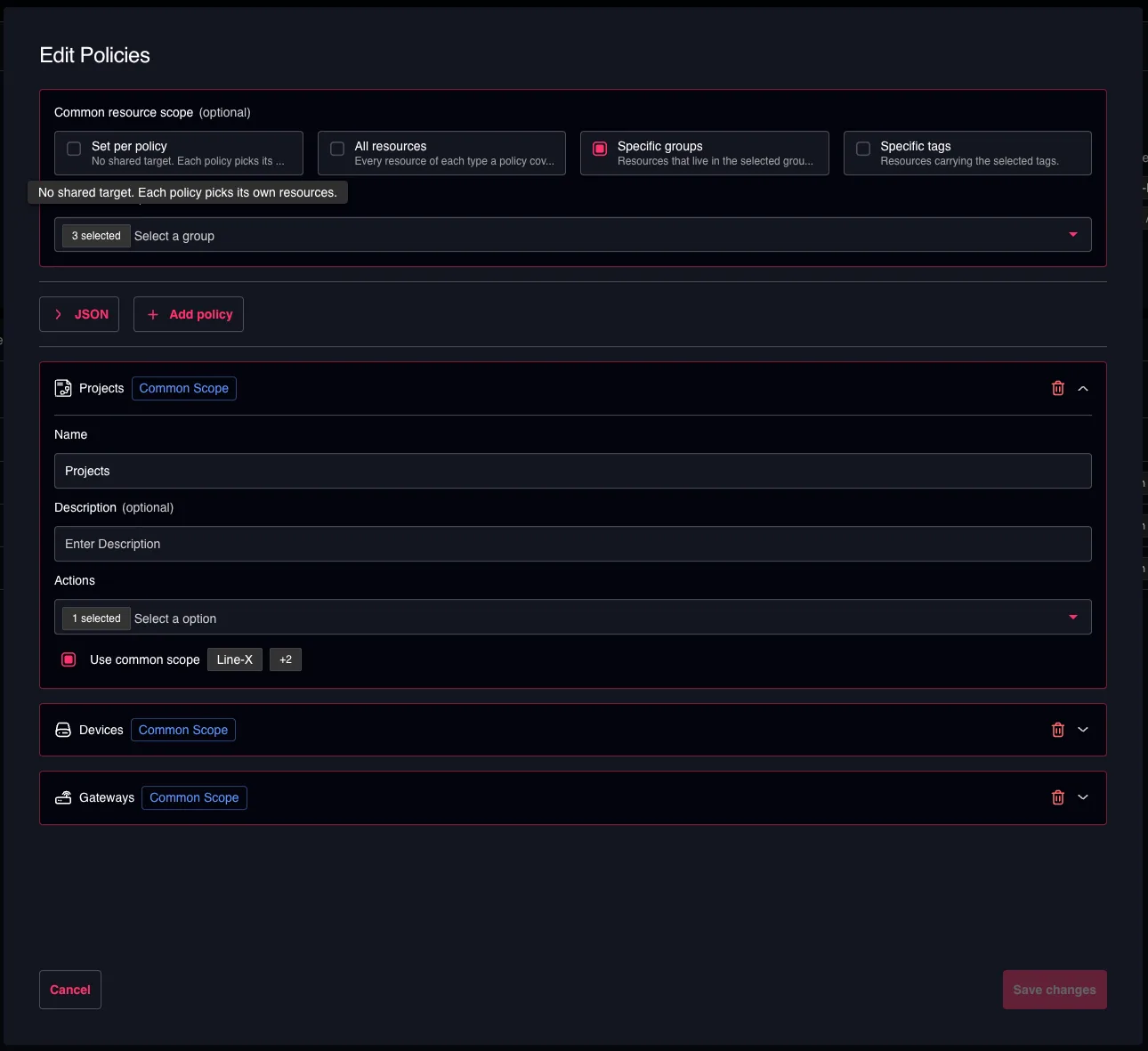
Common scope applied for the selected policies
Because the scope is derived rather than stored, editing a role never rewrites resources on its own. Policies only change when you change the scope or untick Use common scope.
Good to know
- Older policies that mix resource types cannot follow a common scope. They show the legacy warning and a Convert button; convert the policy first, and it can then join the scope.
- Tags are a Console concept. In Backoffice the Specific tags option is not offered.
- The scope is a shortcut, not a restriction. Anything you can express per policy is still available per policy — untick Use common scope and the full selection comes back.