Configuring Static Networks on Linux
When setting up a Connectivity Gateway, it is required that the Gateway device can communicate with the PLCs that are listed in the SDA Console. The following illustrates a scenario with a Raspberry Pi wired to a network switch, which is also connected to two PLCs.
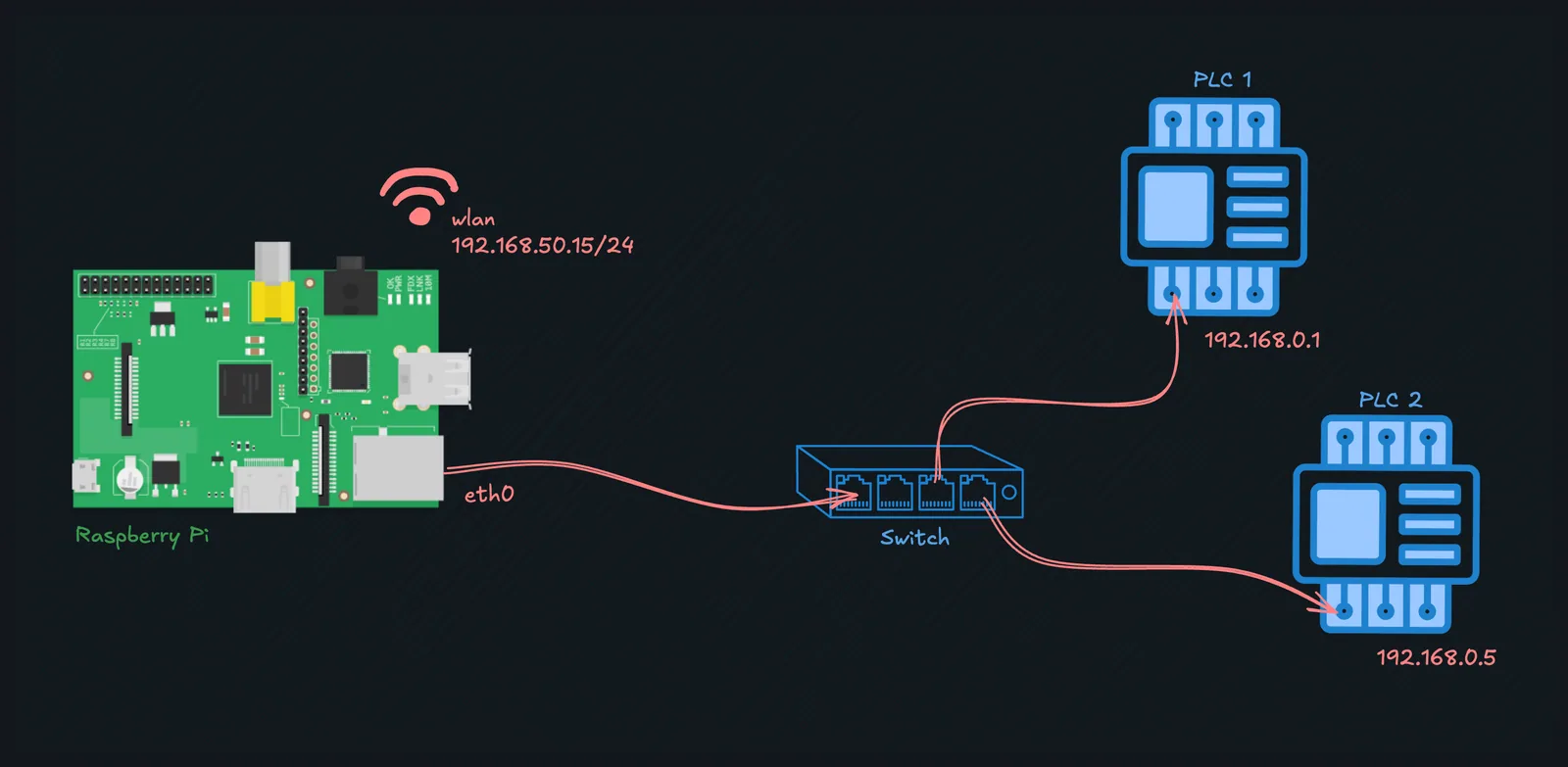
Raspberry Pi connected to two PLCs within the same subnet via a network switch
Since PLC 1 has the IP 192.168.0.1 and PLC 2 has 192.168.0.5, it is reasonable to say that both are in the network 192.168.0.0/24 . Therefore, the Raspberry Pi needs to join this same network and correctly route the packages to the PLCs. Because our WLAN is 192.168.50.0/24 , there is no route collision.
Pre-Requisites
We are only going to use two modules to make it work, that are normally installed in a fresh Raspberry Pi OS. However, make sure to confirm it by running:
sudo apt update && sudo apt install nano ifupdown
Solution: we are going to use a Linux network interface configuration to set the static IP address 192.168.0.2/24 in the eth0 interface of the Raspberry Pi. To achieve that, create an interface file with the content below.
sudo nano /etc/network/interfaces.d/eth0
auto eth0
iface eth0 inet static
    address 192.168.0.2/24
Explanation:
auto eth0instructs the system to bring up a network interface during system initialisation, activating it as soon as we power on the Raspberry Pi.iface eth0specifies the network interface we are configuring.inetuses the address family IPv4.staticstatically configures the selected IP for theeth0interface, therefore, it does not accept an IP from DHCP.address 192.168.0.2/24sets the IP address192.168.0.2as the Pi's IP on that Ethernet port and sets the network192.168.0.0/24on that port, too. As a result, all packages within that subnet will be sent to theeth0interface.
Now, we need to tell the network stack to reload our interface configuration by running:
sudo ip addr flush eth0 && sudo systemctl restart networking
Another option is to reboot the Raspberry Pi.
Extra: Connecting to PLCs in different networks
Suppose a more complex scenario, in which we add a third PLC. However, the new PLC is in another network 10.0.0.0/24 , that does not coincide with the two other ones.
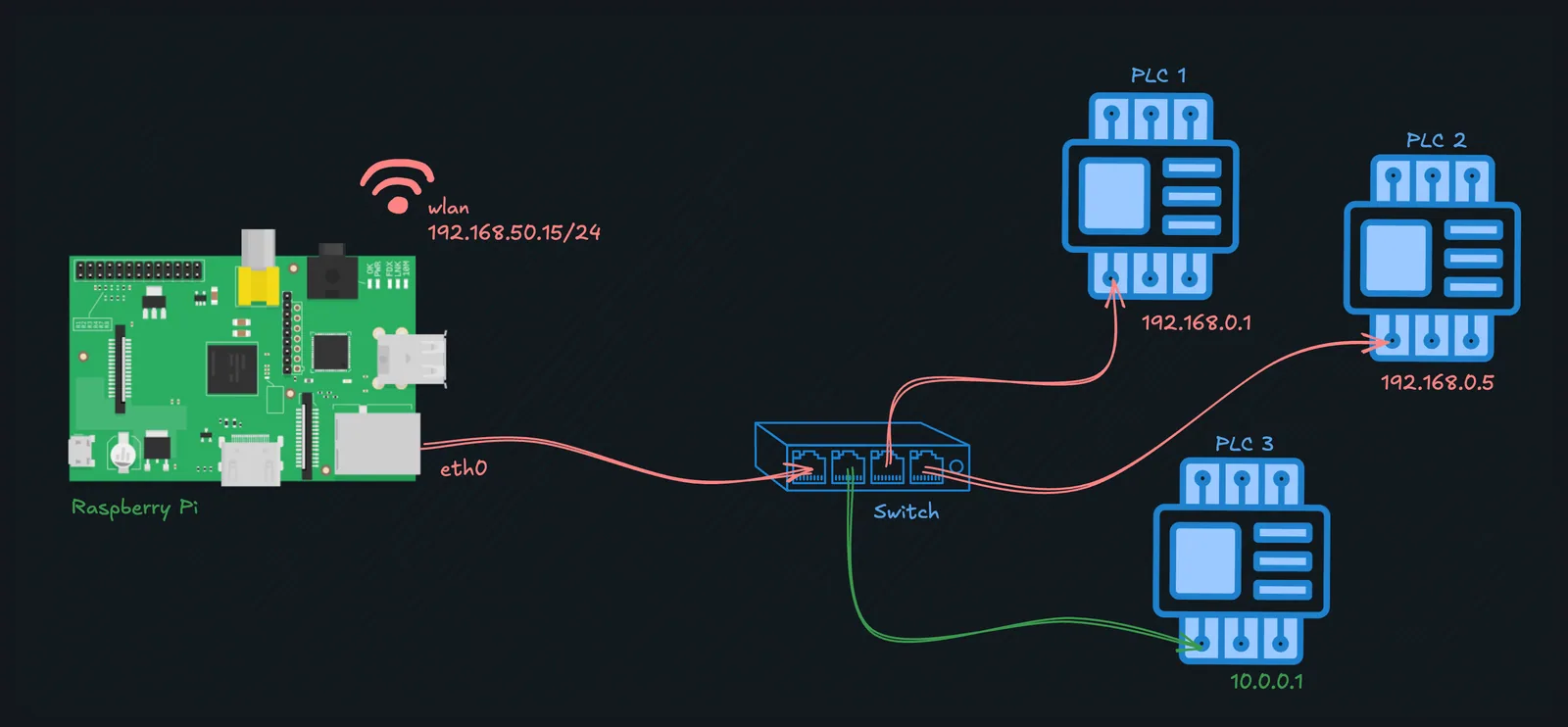
Adding a third PLC in a different network, represented in green
Luckily, the solution is quite simple: we just add another specification block with an extra IP within that network for the same eth0 interface of the Raspberry Pi. Below, we choose the IP 10.0.0.2 for the Raspberry Pi.
sudo nano /etc/network/interfaces.d/eth0
auto eth0
iface eth0 inet static
    address 192.168.0.2/24

iface eth0 inet static
    address 10.0.0.2/24
sudo ip addr flush eth0 && sudo systemctl restart networking
If you miss having more examples in this page, please, contact us.